Barcode Basics
Static vs Dynamic QR Codes: Which One Should Your Business Use?
- static QR code
- dynamic QR code
- QR code basics
- QR code tracking
- QR code for business
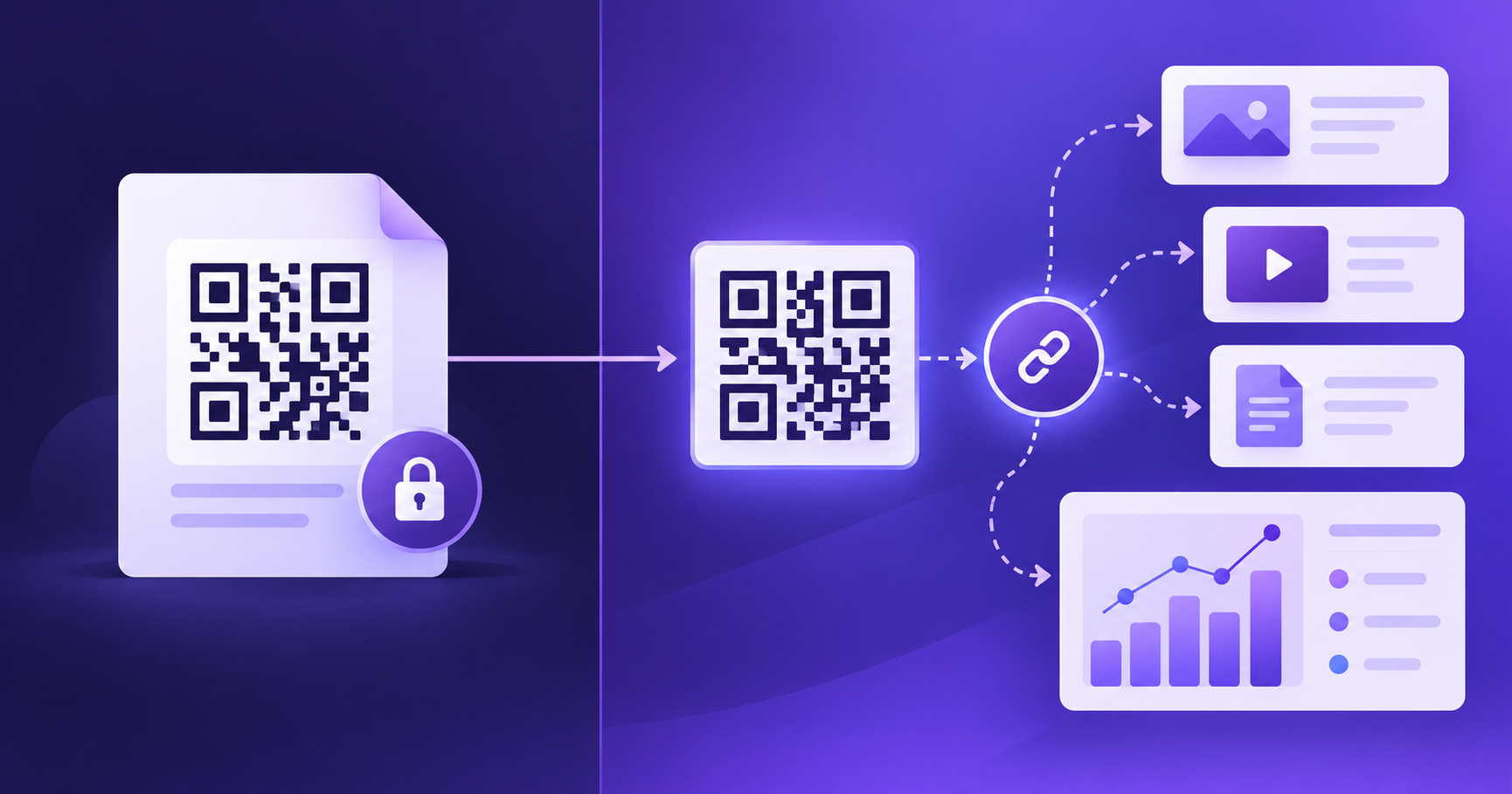
Use a static QR code when the information is permanent and self-contained, like a WiFi login, a contact card, or a link you control and won't change. Use a dynamic QR code when you need to edit the destination after printing or want scan data.
How New Age Apps works: a signed-in QR code can use a trackable link so scan totals are available in Dashboard Analytics. Check the saved destination before printing, and decide whether you need an editable redirect for your specific project.
Table of Contents
- What Is a Static QR Code?
- What Is a Dynamic QR Code?
- Static vs Dynamic: Side by Side
- When Static Is the Right Choice
- When Dynamic Is Worth Paying For
- The Hidden Risk of Dynamic Codes
- Getting Some Flexibility From a Static Code
- How to Tell Which Type a QR Code Is
- A Quick Checklist to Decide
- Frequently Asked Questions
- Final Thoughts
What Is a Static QR Code?
A static QR code stores your content directly in its pattern. If you encode the link https://example.com/menu, that exact address is built into the black-and-white squares. There's no server involved, no account behind it, and nothing to renew.
That simplicity has two consequences:
- It can't be edited. To change the destination, you generate and print a new code.
- It doesn't expire on its own. It scans as long as the printed image is readable. The only thing that can break is the page it points to.
What Is a Dynamic QR Code?
A dynamic QR code doesn't store your final destination. It stores a short redirect link that belongs to the QR service, and that service forwards each scan to wherever you've pointed it. Change the destination in the service's dashboard and every printed code follows, with no reprint.
Because the service sits in the middle of every scan, it can also record scan data such as time, device type, and approximate location. Running that redirect takes server infrastructure, which is why dynamic codes usually come with a subscription.
Static vs Dynamic: Side by Side
| Static QR code | Dynamic QR code | |
|---|---|---|
| What's in the pattern | Your actual content | A short redirect link |
| Edit after printing | No | Yes |
| Scan analytics | None built in | Usually included |
| Cost | Typically free | Typically a subscription |
| Depends on a provider | No | Yes |
| Pattern density | Denser for long links | Cleaner, since it encodes a short link |
| Works for WiFi, contact, text | Yes | Not the typical use |
When Static Is the Right Choice
Static is the better fit more often than most guides admit. It's the right call when:
- The content is the data itself: WiFi credentials, a phone number, an email address, a contact card, or plain text.
- The destination is permanent, such as a manual or support page you control and won't move.
- It's a one-off or short-lived use, like a flyer for a single event.
- You don't want a recurring cost or a third party between your customer and your page.
If that sounds like your situation, you can create one in a couple of minutes. Our guide on how to create a QR code for a website or URL walks through it, and the QR Code Generator is free to use.
When Dynamic Is Worth Paying For
Dynamic earns its cost when changing your mind later would be expensive. Look at it seriously if:
- The destination might change: a campaign page that rotates, a website you may relaunch, or seasonal offers.
- Reprinting is costly, as with packaging runs, permanent signage, vehicle wraps, or printed catalogs.
- You need scan data: how many people scanned, on what devices, and when.
- You want to test two destinations against each other without reprinting.
- Your link is very long and you'd like a cleaner, less dense code on a small label.
The Hidden Risk of Dynamic Codes
Many guides on this topic come from companies that sell dynamic codes, and they tend to skip the trade-off. When your code points to someone else's redirect, your printed materials depend on that service for as long as they're in use.
- If a subscription lapses, some providers turn the redirect off, and every printed code stops working. Others keep redirecting but lock editing and analytics. Policies differ.
- The redirect needs the provider's servers to be up, and the scanner needs an internet connection to reach them.
- You're trusting the provider's reliability, security, and longevity with every scan.
Before you buy a dynamic plan: ask what happens to existing codes if you cancel or miss a payment. If the answer is vague, treat that as a risk before approving a costly print run.
Getting Some Flexibility From a Static Code
You can borrow a few dynamic benefits without a subscription, with some effort on your side:
- For tracking: add a campaign tag (a UTM parameter) to the link so your own web analytics shows visits from that code. This counts visitors to your page, not raw scans.
- For editability: encode a link on a domain you control and change what it points to later. You get flexibility, but you're now responsible for keeping that link alive.
This approach pairs well with batches of unique codes, which we cover in our guide to creating multiple QR codes at once.
How to Tell Which Type a QR Code Is
Scan it and look at the address before you open it. If you see the destination itself, it's most likely static. If you see a short link on a domain you don't recognize, a redirect sits in between, which usually means it's dynamic.
A Quick Checklist to Decide
- Is the content a link at all? If it's WiFi, contact details, or plain text, choose static.
- Could the destination change after printing? If yes, lean dynamic.
- How costly would a reprint be? If it's very costly, lean dynamic.
- Do you need scan data beyond what your web analytics gives you? If yes, dynamic.
- Are you comfortable depending on a provider long-term? If not, static, or static pointing at a domain you control.
If you land on static, remember that a dense code from a long link can be harder to read at small sizes, so keep your link short and test-scan before printing. Our troubleshooting guide on why a barcode won't scan covers the common causes.
Frequently Asked Questions
Do static QR codes expire?
No. A static QR code has its data written directly into the pattern, so there's no server, account, or subscription behind it that could lapse. The code itself will scan for as long as the image stays readable. What can break is the thing it points to: if a static code links to a web page and that page moves or goes offline, the code still scans but lands on an error. So the real question to ask isn't whether the code expires, it's whether the destination will stay put.
Can I change where a static QR code points after it's printed?
No. The destination is part of the pattern itself, so changing it means generating a new code and reprinting. There is one workaround: point the code at a link on a domain you control, such as a simple page or redirect on your own website, and change what that link does later. That gets you some flexibility, but you're now responsible for keeping that page or redirect alive, which is a small version of the dependency dynamic codes create. Either way, decide this before printing, not after.
Can I turn a static QR code into a dynamic one later?
Not the same code. Because a static code stores the final destination in its pattern, nothing about it can be edited after the fact. To switch, you'd create a new dynamic code with a provider and replace the printed ones. That's the main reason to decide before a big print run: if there's a real chance you'll want editing or scan data later, the cheapest time to choose dynamic is before anything is printed. Think of it as a one-way door: easy to enter before printing, expensive to change after.
Do dynamic QR codes stop working if I stop paying?
It depends on the provider, which is exactly why it's worth checking before you commit. Some platforms keep your codes redirecting but lock editing and analytics. Others switch the redirect off when a subscription lapses, which turns every printed code into a dead end. Ask directly what happens to existing codes if you cancel, and get the answer in writing if the codes are going on anything expensive to reprint, like packaging or permanent signage. It's a five-minute question that can save an entire print budget.
Can I track scans with a static QR code?
Not directly, since a static code has no built-in counter. What you can do is add a campaign tag to the link (a UTM parameter, for example) so your existing web analytics shows visits that arrived through that specific code. That tells you how many people reached your page from that placement, which is useful, but it isn't the same as true scan data like device type or scan location, which needs a dynamic code. For many small businesses, that lighter version is enough.
Which type should I use for a restaurant menu or product page?
If the page address is stable and you update the content at that same address, static works fine and costs nothing. If you might move the menu to a new website, change platforms, or run seasonal campaigns that need different destinations, a dynamic code saves you from reprinting table cards. A good test is to ask how painful it would be to replace every printed code. If the answer is very painful, lean dynamic. It's a more useful test than comparing feature lists.
Are dynamic QR codes less safe than static ones?
Not inherently, but they add a middleman. Every scan passes through the provider's redirect before reaching your page, so you're trusting that provider to stay reliable and secure. Choose an established service, and be cautious about unknown free tools that might disable or change codes later. Any QR code, static or dynamic, can also be covered by a malicious sticker in a public place, so it's worth scanning the codes you rely on now and then. Treat the provider like any vendor you depend on.
What kinds of content work as dynamic QR codes?
In practice, dynamic codes are about links. The redirect model only makes sense when the code points to a URL, so website pages, landing pages, and hosted files are the typical use cases. Self-contained content like WiFi credentials, a phone number, an email address, or a contact card is normally encoded directly, which means static is the natural fit. If your content is the data itself rather than a destination, you likely don't need dynamic at all. When in doubt, ask whether your content is the data itself or a destination.
Final Thoughts
There's no universally better type, only a better fit. Static is simple, free, and independent, which suits permanent information and one-off uses. Dynamic buys you editing and analytics in exchange for a subscription and a dependency. Decide based on how likely your destination is to change and how expensive it would be to reprint. When static is the answer, you can generate your code with the QR Code Generator or explore the full set of Features for other formats.
Enjoyed this post?
Share it with your network