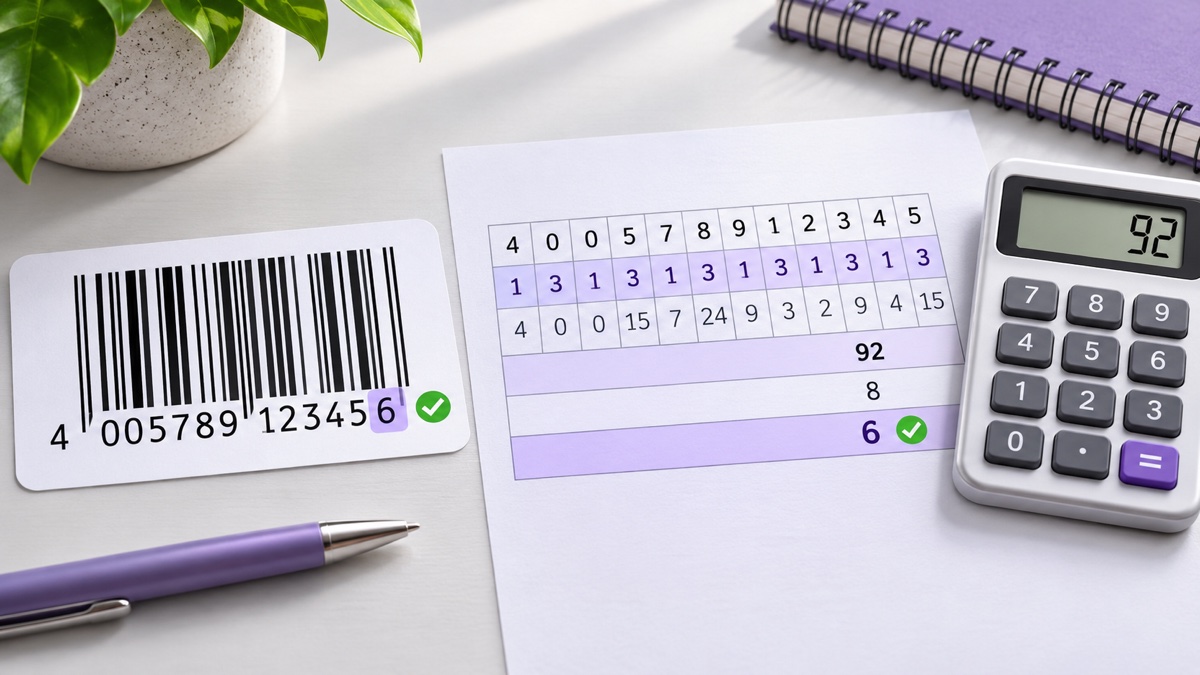
Barcode Basics
How to Calculate a Barcode Check Digit (UPC-A and EAN-13)
- check digit
- UPC-A
- EAN-13
- GTIN
- GS1
- barcode validation
Table of Contents
- What Is a Check Digit?
- The One Rule Behind Every UPC and EAN Check Digit
- How to Calculate a UPC-A Check Digit
- How to Calculate an EAN-13 Check Digit
- The Same Method Works for Every GTIN
- How to Check an Existing Barcode
- Calculate the Check Digit in a Spreadsheet
- What a Check Digit Catches and What It Misses
- Common Check Digit Mistakes
- Frequently Asked Questions
- Final Thoughts
What Is a Check Digit?
A check digit is the final digit of a UPC or EAN number, calculated from all the digits before it. Every time a scanner reads the symbol, or software receives a typed number, it repeats the calculation. If the result does not match the last digit, the number is rejected.
That catches many everyday problems: a scanner misreading a damaged bar, or someone typing 036000291425 instead of 036000291452. The method is shared across GS1 Global Trade Item Numbers, including UPC-A and EAN-13.
The One Rule Behind Every UPC and EAN Check Digit
- Weight the data digits. Starting with the digit immediately to the left of the check digit, multiply it by 3. Moving left, alternate ×1, ×3, ×1.
- Add the weighted values.
- Round up. The check digit is the amount needed to reach the next multiple of 10. If the sum already ends in 0, the check digit is 0.
In formula form: check digit = (10 - (sum mod 10)) mod 10. The outer modulo operation turns a result of 10 into 0.
The easiest memory aid is to count from the right: the data digit nearest the check digit always gets ×3, whatever the total number length.
How to Calculate a UPC-A Check Digit
UPC-A has 11 data digits plus one check digit. Calculate the missing digit for 03600029145?.
| Position | 1 | 2 | 3 | 4 | 5 | 6 | 7 | 8 | 9 | 10 | 11 |
|---|---|---|---|---|---|---|---|---|---|---|---|
| Digit | 0 | 3 | 6 | 0 | 0 | 0 | 2 | 9 | 1 | 4 | 5 |
| Weight | ×3 | ×1 | ×3 | ×1 | ×3 | ×1 | ×3 | ×1 | ×3 | ×1 | ×3 |
| Result | 0 | 3 | 18 | 0 | 0 | 0 | 6 | 9 | 3 | 4 | 15 |
The weighted values total 58. The next multiple of 10 is 60, and 60 - 58 = 2. The complete UPC-A is 036000291452.
The faster mental method
- Add positions 1, 3, 5, 7, 9, and 11:
0 + 6 + 0 + 2 + 1 + 5 = 14. - Multiply by 3:
14 × 3 = 42. - Add positions 2, 4, 6, 8, and 10:
3 + 0 + 0 + 9 + 4 = 16. - Add the totals:
42 + 16 = 58. - Round up to 60, so the check digit is 2.
How to Calculate an EAN-13 Check Digit
EAN-13 has 12 data digits plus one check digit. Use 629104150021?.
| Position | 1 | 2 | 3 | 4 | 5 | 6 | 7 | 8 | 9 | 10 | 11 | 12 |
|---|---|---|---|---|---|---|---|---|---|---|---|---|
| Digit | 6 | 2 | 9 | 1 | 0 | 4 | 1 | 5 | 0 | 0 | 2 | 1 |
| Weight | ×1 | ×3 | ×1 | ×3 | ×1 | ×3 | ×1 | ×3 | ×1 | ×3 | ×1 | ×3 |
| Result | 6 | 6 | 9 | 3 | 0 | 12 | 1 | 15 | 0 | 0 | 2 | 3 |
The sum is 57, so 60 - 57 = 3. The complete EAN-13 is 6291041500213.
Counted from the left, UPC-A starts with ×3 while EAN-13 starts with ×1. Counted from the right, both use exactly the same rule. A leading zero turns UPC-A 036000291452 into EAN-13 0036000291452 without changing the check digit.
The Same Method Works for Every GTIN
GS1 uses the calculation for identifiers of several lengths. Only the number of data digits changes; the digit next to the check digit remains weighted by 3.
| Number type | Total digits | Example data | Check digit | Complete number |
|---|---|---|---|---|
| GTIN-8 (EAN-8) | 8 | 1234567 | 0 | 12345670 |
| GTIN-12 (UPC-A) | 12 | 03600029145 | 2 | 036000291452 |
| GTIN-13 (EAN-13) | 13 | 629104150021 | 3 | 6291041500213 |
| GTIN-14 | 14 | 1061414100041 | 5 | 10614141000415 |
GTIN-14 is commonly carried in an ITF-14 symbol; see the ITF-14 guide. ISBN-13 follows the EAN-13 calculation, as explained in the ISBN guide.
How to Check an Existing Barcode
To validate a complete number, include the existing check digit in the weighted calculation. Give the check digit a weight of 1, then alternate ×3 and ×1 moving left. The complete number is valid when the total is a multiple of 10.
For 036000291452, the first 11 digits total 58 and the final digit adds 2, producing 60. A typo such as 036000291425 fails because the last digit does not match the first 11 digits.
Calculate the Check Digit in a Spreadsheet
For an 11-digit UPC base stored as text in cell A2, this Excel formula appends the twelfth digit:
=A2&MOD(10-MOD(SUMPRODUCT(--MID(A2,{1,3,5,7,9,11},1))*3+SUMPRODUCT(--MID(A2,{2,4,6,8,10},1)),10),10)Store the input as text so the leading zero survives. For more list checks and an EAN-13 formula, see How to Create Barcodes in Excel.
The Barcode Generator accepts either the data digits or a complete UPC-A/EAN-13 value. It adds the missing check digit for 11- or 12-digit input and validates a complete number. The Bulk Barcode Generator validates every row in a batch.
What a Check Digit Catches and What It Misses
The GS1 check digit is useful, but it is not an ownership or product lookup.
- Always catches: any one incorrect digit.
- Usually catches: adjacent digits entered in the wrong order.
- Can miss: adjacent digits that differ by 5, such as 1 and 6 or 0 and 5.
- Can miss: two or more errors that cancel each other in the weighted sum.
- Cannot catch: a valid GTIN assigned to the wrong product.
A valid check digit proves that the number is well formed. It does not prove the number was licensed to your company or belongs to the item in front of you.
Common Check Digit Mistakes
- Starting from the wrong end: count from the right; the nearest data digit gets ×3.
- Including the digit while calculating it: use only the data digits. Include the final digit only during validation.
- Writing 10 instead of 0: when the sum is already a multiple of 10, the digit is 0.
- Losing leading zeros: keep barcode numbers as text in spreadsheets and databases.
- Changing an assigned number: use a full GTIN exactly as issued.
- Trusting an example without testing it: verify formulas against a known-good number before applying them to a catalog.
Frequently Asked Questions
Which digit is the check digit on a barcode?
It is the final digit: position 12 on UPC-A and position 13 on EAN-13. It is calculated from the preceding data digits so scanners and software can detect many reading and typing errors.
Can a check digit be 0?
Yes. When the weighted sum is already a multiple of 10, nothing needs to be added, so the check digit is 0. A check digit is never written as 10.
Is the check digit calculation the same for UPC and EAN?
Yes. Both use the GS1 modulo-10 method with alternating weights of 3 and 1. The weights look reversed when counted from the left because EAN-13 has one more data digit. Count from the right and the digit next to the check digit is always multiplied by 3.
Do I need to calculate the check digit myself?
Usually not. GS1 records and barcode generators often provide or calculate it. Doing the calculation yourself is useful when building numbers from an assigned company prefix, checking supplier data, or cleaning a spreadsheet before bulk generation.
Why is my barcode showing as invalid?
Common causes are a wrong check digit, a typing error, a missing digit, or a leading zero removed by a spreadsheet. Recalculate from the first 11 UPC-A digits or first 12 EAN-13 digits. If the number is valid but will not scan, inspect print size, contrast, bar quality, and quiet zones.
Do Code 128 and other barcodes use the same check digit?
No. Code 128 uses a mandatory weighted modulo-103 check character encoded in the bars. Code 39 can use an optional modulo-43 character. The alternating 3-and-1 modulo-10 method applies to GS1 identifiers such as UPC, EAN, GTIN-14, and SSCC.
Does an ISBN use the same check digit?
A modern ISBN-13 does because it is encoded as EAN-13. Older ISBN-10 numbers used a different modulo-11 method that could end in X. Converting ISBN-10 to ISBN-13 requires removing the old check digit, adding the 978 prefix, and calculating a new EAN-13 digit.
What is the GS1 check digit formula in one line?
Check digit = (10 - (weighted sum mod 10)) mod 10. Starting with the data digit nearest the check digit, multiply by 3, then 1, and continue alternating to the left.
Final Thoughts
Every UPC and EAN check digit follows the same three steps: weight the data digits 3 and 1 from the right, add the results, then round up to the next multiple of 10. Remember that the data digit beside the check digit always gets ×3.
For one value, pen and paper works. For a catalog, use a spreadsheet check or let the Barcode Generator add and validate the digit before you print.
Enjoyed this post?
Share it with your network