Barcode Basics
Barcode vs QR Code: Key Differences and Which to Use
- barcode vs QR code
- 1D vs 2D
- QR code basics
- barcode scanners
- choosing a barcode
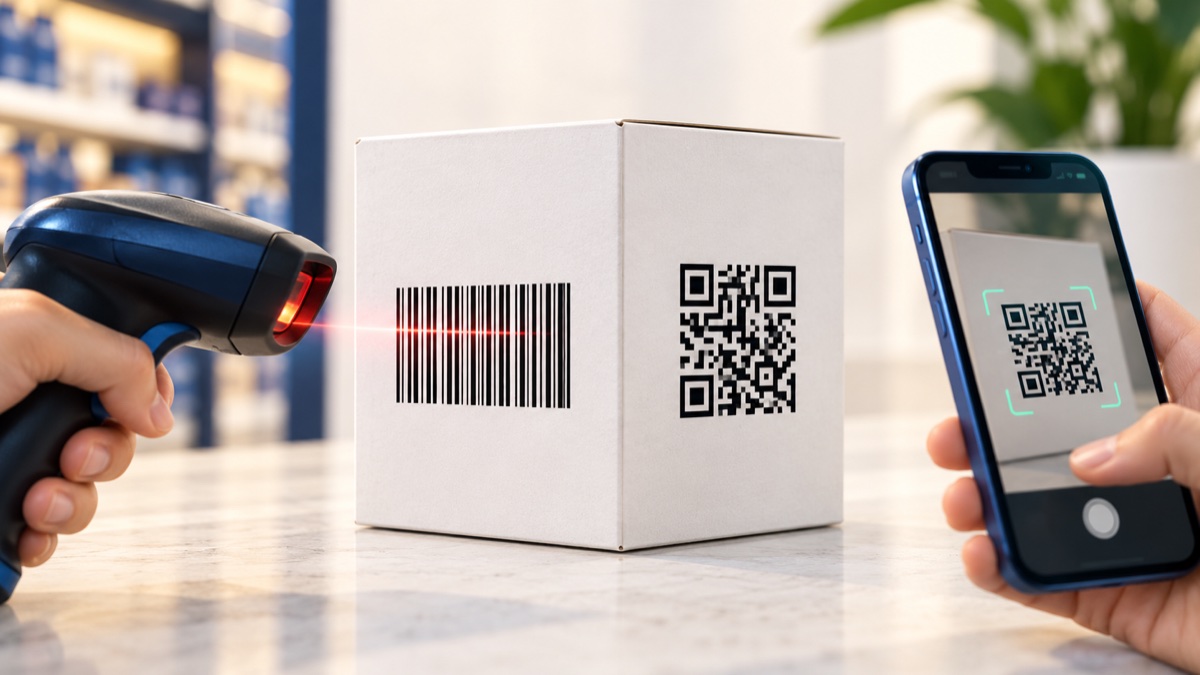
A one-dimensional barcode and a QR code are both machine-readable symbols, but they fit different jobs. A UPC or EAN is designed for a retail checkout workflow; a QR code can carry a web address or more data and is commonly scanned with a phone camera or 2D imager. Let the required format, scanning devices, and amount of data guide the choice.
Table of Contents
- Barcode vs QR Code at a Glance
- How Each One Works
- Differences That Matter in Practice
- When to Use a Barcode, a QR Code, or Both
- A Quick Decision Guide
- Common Myths
- Frequently Asked Questions
- Final Thoughts
Barcode vs QR Code at a Glance
| Question | Linear barcode (1D) | QR code (2D) |
|---|---|---|
| Shape | Bars and spaces in a row | Square grid of dark and light modules |
| Typical content | Short identifiers such as GTINs, SKUs, and tracking values | Links, text, and other data within the format's capacity |
| Common readers | Laser scanners and 1D or 2D imagers | Phone cameras and 2D imagers |
| Orientation | Must cross the bars in the correct direction | Can be read at different rotations when fully visible |
| Error handling | Check characters can detect many errors | Selectable error correction can recover some damaged data |
| Common uses | Retail checkout, inventory, and shipping labels | Web links, menus, tickets, and product information |
How Each One Works
A linear barcode encodes characters in the widths and sequence of its bars and spaces. A scanner moves across the symbol and decodes the pattern. UPC-A and EAN-13 are common for retail products; Code 128 is common for logistics and internal labels. See our guide to barcode types for format differences.
A QR code encodes data across a two-dimensional grid. Its large position markers help a camera locate and orient the pattern. QR Code has multiple versions and error-correction levels, so its maximum capacity is not a useful target for every printed code. DENSO WAVE's QR Code specification overview lists capacities and approximate restoration rates by error-correction level.
Differences That Matter in Practice
How much data do you need?
A short identifier usually fits a linear barcode cleanly. QR can hold substantially more, but a crowded pattern can become small and difficult to read. If the goal is to share a manual or product page, encode a short URL rather than the full document text. That keeps the symbol simpler and lets you update the page separately.
What equipment will scan it?
Laser-only scanners are designed for linear symbols and do not read QR. A 2D imager captures a picture and can read QR as well as many linear barcodes. Most modern phones can scan QR with the camera, but the end user's phone, app, lighting, and connectivity still matter. Check the actual hardware before changing an established warehouse or checkout workflow.
How much damage can it tolerate?
QR error correction can restore some data when part of a symbol is obscured or damaged. The available levels trade data capacity for more recovery; DENSO WAVE gives approximate restoration rates of 7%, 15%, 25%, and 30% for levels L, M, Q, and H. These figures do not mean the same percentage of the printed image can always be covered. A linear barcode's check character can catch many misreads, but it does not reconstruct missing bars.
Both types need sufficient contrast, a clear quiet zone, and a size appropriate to the material and scan distance. Print and scan a sample on the final packaging rather than relying only on an on-screen preview. Our QR packaging guide covers placement and print checks.
Who defines the identifier?
A QR code can encode a URL or text you choose, although product systems may still define what information belongs in it. Retail GTINs such as UPC and EAN are assigned identifiers and should follow the applicable GS1 and retailer rules. Generating the bars does not assign or register a number.
When to Use a Barcode, a QR Code, or Both
- Use a linear barcode when a retailer, carrier, warehouse, or existing scanner specifies a UPC, EAN, Code 128, or another 1D format.
- Use a QR code when people need to open a web page, read a menu, access instructions, or scan richer information with a phone or 2D imager.
- Use both when the product needs one symbol for a defined checkout or inventory process and another for customer-facing information.
Do not pick a symbol based only on how much data it can hold. The receiving system's rules, printer, label size, and reader are just as important.
A Quick Decision Guide
- Who will scan it? Follow the symbol specified by the retailer, carrier, or inventory system. For phones, QR is often a practical choice; for laser scanners, use a supported 1D symbol.
- What does it need to carry? A short identifier often fits a linear code; a link or richer payload may fit QR better.
- Does a trading partner require a format? Use the required symbology and assigned identifier even if another code appears more convenient.
- What are the print conditions? Confirm size, contrast, quiet zones, and surface curvature with a proof printed on the actual material.
| Scenario | Starting point |
|---|---|
| Consumer item at retail checkout | Assigned UPC or EAN, subject to retailer requirements |
| Warehouse bins read by 1D laser scanners | Supported linear code such as Code 128 |
| Shipping label | Format specified by the carrier or shipping system |
| Printed manual or menu | QR code linking to the current web page |
| Retail item plus customer instructions | Required linear code plus a separate QR code, if space permits |
Common Myths
- "QR codes are replacing all barcodes." Different systems adopt 2D symbols at different rates. Follow the retailer and equipment requirements that apply to your item.
- "QR codes hold unlimited data." Capacity is limited by the QR version, encoding, and error-correction level. More content usually creates a denser pattern.
- "A QR code is always more reliable." Error correction can help with some damage, but poor contrast, tiny print, glare, or a damaged quiet zone can prevent either symbol from scanning.
- "A generated UPC number is ready for retail." A valid-looking pattern does not assign the product identifier. Use the number assigned through the appropriate process.
To make a code, use the Barcode Generator for supported linear formats or the QR Code Generator for a QR symbol. For QR links, see our guide to creating a QR code for a website and static versus dynamic QR codes.
Frequently Asked Questions
Is a QR code a type of barcode?
Yes. QR is a two-dimensional barcode. In everyday conversation, barcode often means a one-dimensional symbol such as UPC, EAN, or Code 128, which is why people compare 'barcodes' with QR codes.
Can a barcode scanner read a QR code?
Only if it is a 2D imager or another scanner designed to read QR. A laser-only scanner generally reads linear 1D symbols, not QR. Check the exact scanner model and configuration.
Can a QR code replace the UPC on a retail product?
Do not assume it can. Retailer and point-of-sale requirements vary, and a consumer product may still need its assigned UPC or EAN. Confirm the current rules with your retailer and keep required linear symbols until they approve a change.
Which holds more data, a barcode or a QR code?
A QR symbol can hold much more data than typical retail linear barcodes, but capacity depends on version, error-correction level, and character set. More content makes the QR pattern denser, so a short link is often easier to scan than a large block of text.
Which code works better if it is damaged?
QR has configurable error correction that can recover some damaged data, while a linear barcode's check character detects many errors but does not restore missing bars. Neither is guaranteed to scan when print quality, contrast, or quiet zones are poor.
Should a package have both a barcode and a QR code?
Often they serve different jobs: a UPC or EAN supports the required checkout workflow, while QR can point customers to instructions or product information. Leave both symbols their required clear space and verify the package with the devices that will scan it.
Final Thoughts
Choose the symbol your scanners and trading partners can use, then keep the encoded data as short as the job allows. A linear barcode can serve checkout and inventory workflows, while QR is useful for links and customer information. When both matter, give each code room and test them on the finished package before production.
Sources
For QR Code capacity and error-correction details, consult DENSO WAVE's QR Code specification overview and its error-correction explanation. Check your trading partner's current barcode requirements before changing a product label.
Enjoyed this post?
Share it with your network